Mainframe
> hack the planet. train the machine._
What is Mainframe?
Mainframe is a desktop training simulator where students learn real Linux, Python, cryptography, and AI agent concepts through hands-on missions. The teacher leads each lesson on the big screen while students follow along on their own machines. A simulated agent guides the work — all interactions are pre-scripted for safety, no real AI involved — but students write the code and run the commands themselves. Fast finishers can push ahead through the directives at their own pace.
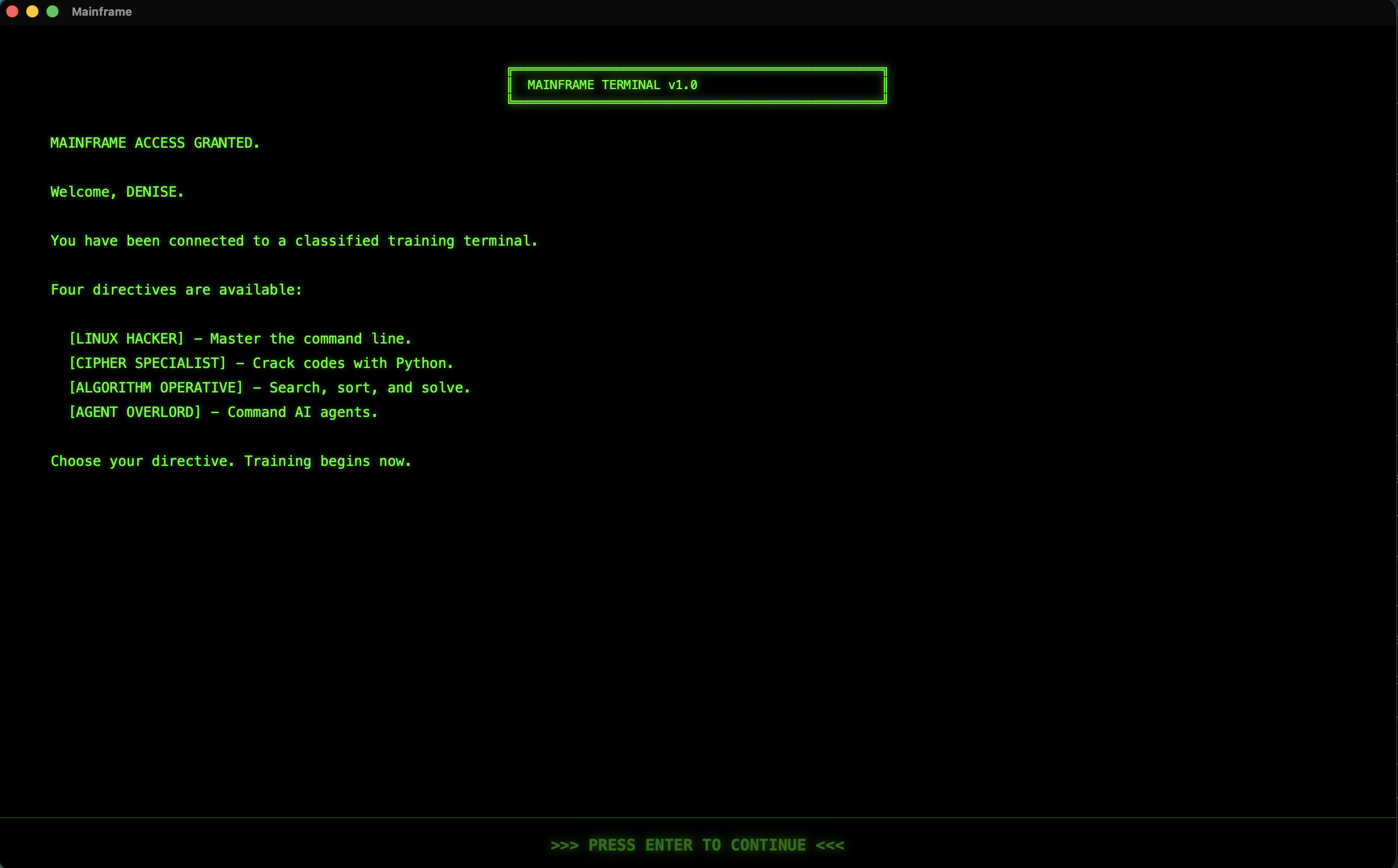
MAINFRAME ACCESS GRANTED.

Welcome, STUDENT.

You have been connected to a classified training terminal.

Five directives are available:

    [PYTHON BASICS]         — Learn Python from scratch.
    [LINUX HACKER]          — Master the command line.
    [CIPHER SPECIALIST]     — Crack codes with Python.
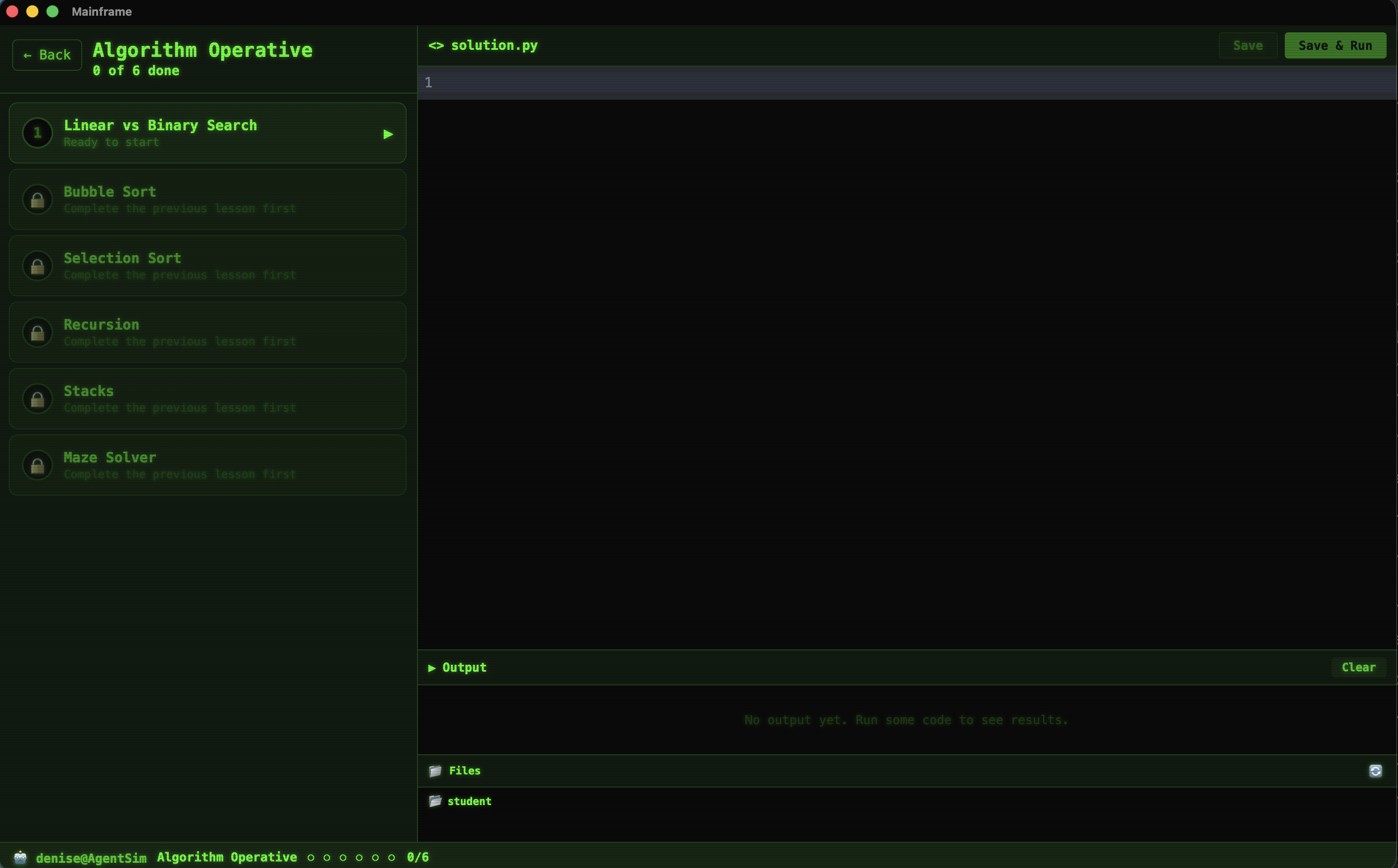
    [ALGORITHM OPERATIVE]   — Search, sort, and solve.
    [AGENT OVERLORD]        — Command AI agents.

Choose your directive. Training begins now.
Five Paths. One Terminal.
Each directive is a self-contained track of missions. The class works through them together, with the teacher leading on the projector. Missions unlock in sequence — every mission has a simulated agent, a code editor, a terminal, and a goal.
Python Basics
Learn Python from scratch — variables, types, loops, functions, lists, dictionaries, files, and debugging. 20 missions from first print() to a capstone project.
- What Is Python?
- Variables and Assignment
- Data Types
- Booleans and Comparisons
- Code Tracing
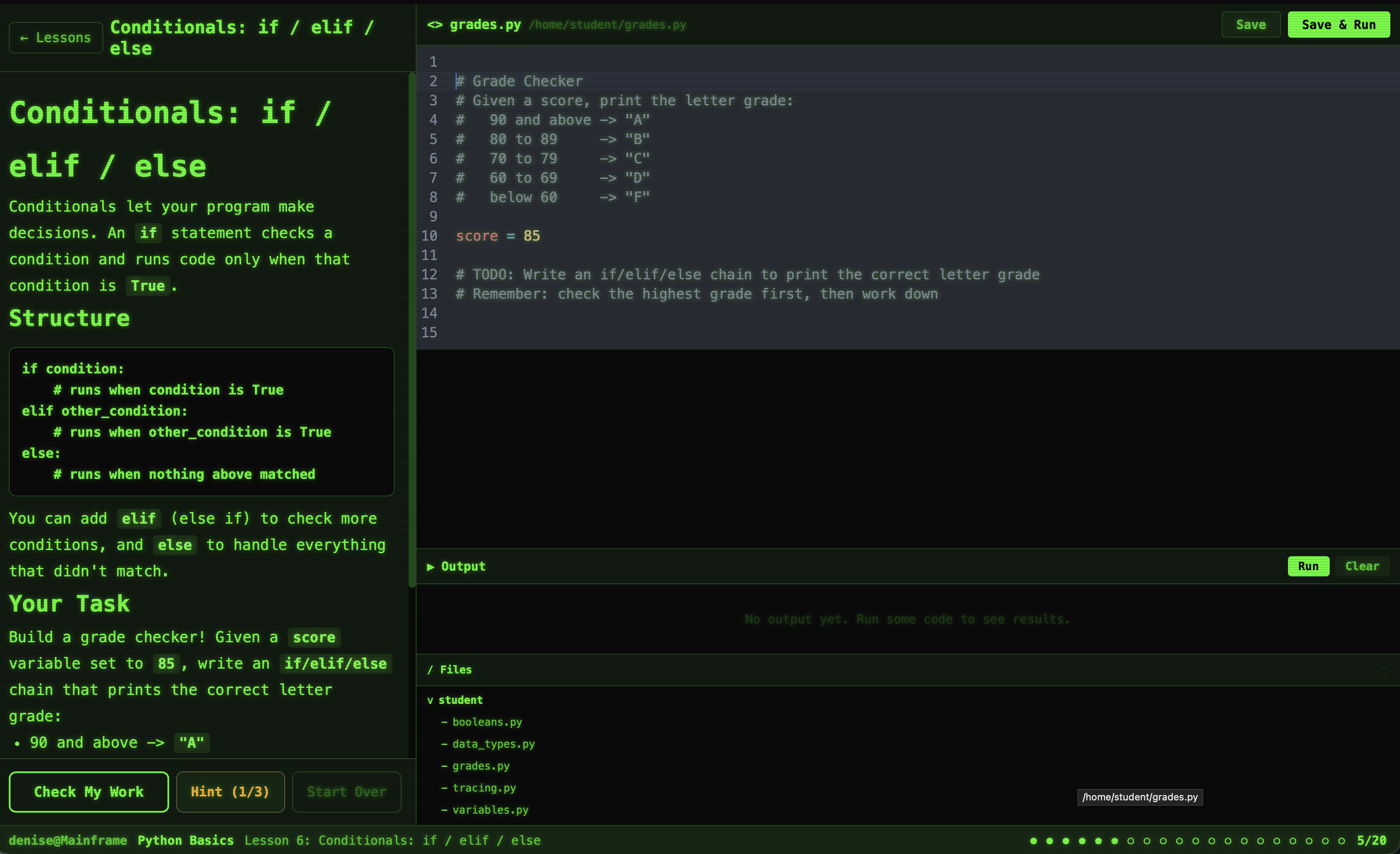
- Conditionals: if / elif / else
- Complex Conditionals
- For Loops with range()
- While Loops
- Defining and Calling Functions
- Parameters and Return Values
- Lists: Creating, Indexing, Modifying
- Iterating Over Lists
- Dictionaries: Keys and Values
- Nested Lists and Dictionaries
- Reading and Writing Files
- Working with JSON Data
- Debugging Techniques
- Bug Hunt: Grade Calculator
- Unit Project: Contact Book
20 missions
Linux Hacker
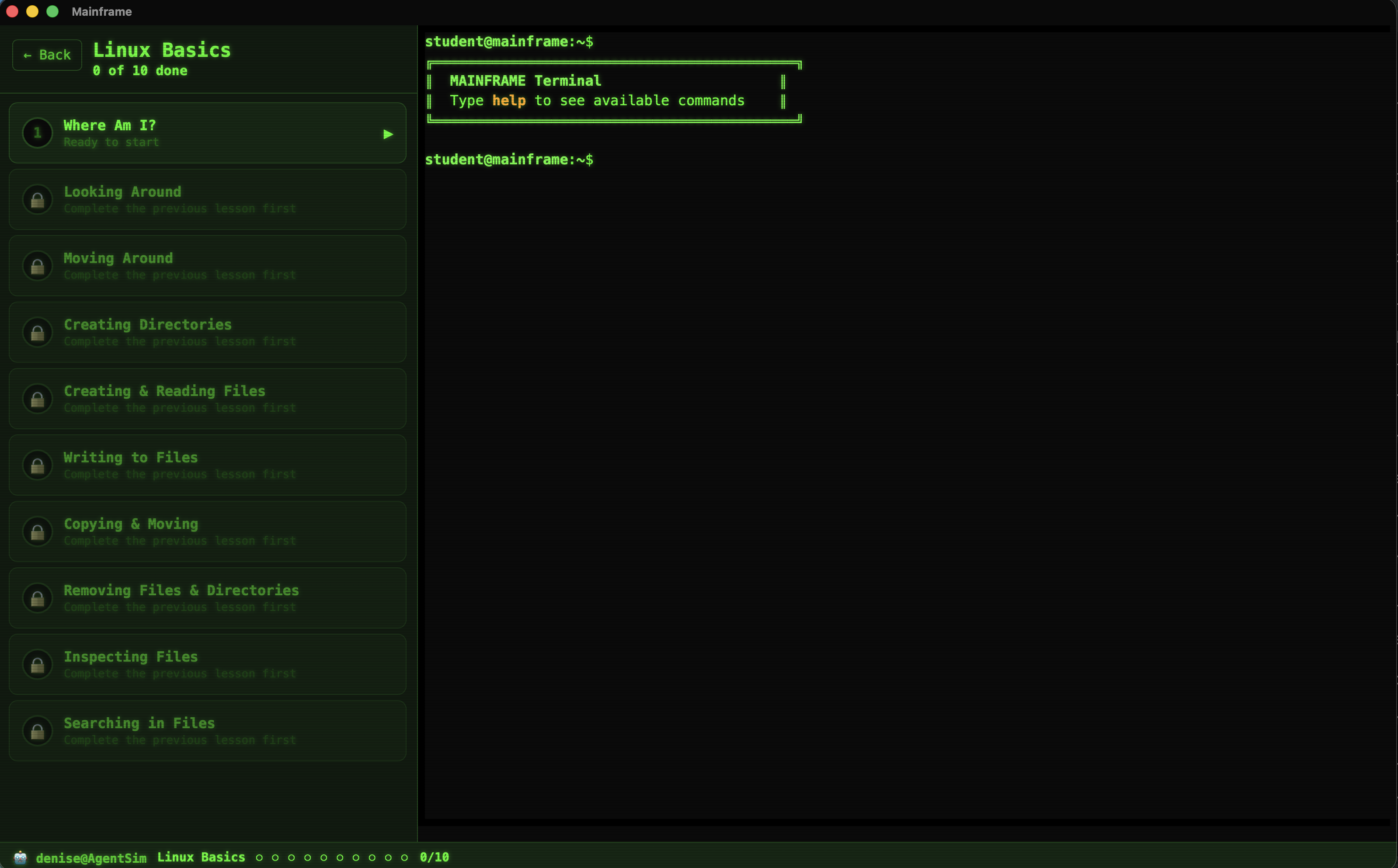
Master the command line. Navigate filesystems, wrangle data, hunt bugs, and decode secrets — all from a terminal.
- Where Am I?
- Looking Around
- Moving Around
- Creating Directories
- Creating & Reading Files
- Writing to Files
- Copying & Moving
- Removing Files & Directories
- Inspecting Files
- Searching in Files
10 missions
Cipher Specialist
Crack codes and build ciphers. Caesar, Vigenere, XOR, hashing, and Base64 — learn real cryptography with Python.
- Caesar Cipher
- Vigenere Cipher
- XOR Encryption
- Hashing
- Base64 Encoding
- Final Codebreak
6 missions
Algorithm Operative
Master classic CS algorithms — searching, sorting, recursion, stacks, and maze solving with Python.
- Linear vs Binary Search
- Bubble Sort
- Selection Sort
- Recursion
- Stacks
- Maze Solver
6 missions
Agent Overlord
Learn how AI agents work. Write prompts, approve tool calls, and review agent decisions — all through safe, pre-scripted simulations.
- Your First Prompt
- Reading & Writing Files
- Running Code
- Deny the Dangerous
- The Agent Loop
5 missions
Your Workstation
Mainframe gives every student a full coding environment — no setup, no installs, no external accounts. The teacher drives the lesson while students follow along on their own terminals.
Agent Chat
A simulated agent guides each mission with pre-scripted responses — no real AI, fully safe for the classroom. Students learn how agents work by interacting with one.
Code Editor
Write Python directly in the app. Save, run, and see output instantly. Syntax highlighting, line numbers, and a file browser built in.
Live Terminal
A real Linux terminal for the Linux Hacker missions. Navigate, create files, search, pipe — all the commands work just like a real shell.
Progress Tracking
Missions unlock in sequence. Complete one to access the next. The teacher sees every student's progress from the dashboard.
Offline & Locked Down
Everything runs locally. No internet required. Blocking software on the iMacs keeps students focused — no browsing, no games, just Mainframe.
Teacher-Led
The teacher leads each lesson live on the projector. Students follow along on their own machines. Fast finishers can push ahead through directives at their own pace.
Inside the Terminal
See what students see when they log in and start working.
Spring Trimester 2026
// Schedule
Tuesdays & Thursdays
10:15 AM – 10:55 AM
// Location
KMAC 103
Tuxedo Park School
// Grades
Open to grades 6–9
No experience required
$ cat /etc/class/philosophy.txt

No slides. No textbooks. Just a terminal.

The teacher leads each mission on the big screen.
Students follow along on their own machines.
A simulated agent helps when they get stuck.
They write real code. They use a real terminal.

The iMacs are locked down — no browsers, no games,
no distractions. When you're in this class, you're
in Mainframe. Fast finishers push ahead on their own.

The goal: when this trimester ends, every student
walks out knowing how to navigate Linux, write Python,
and understand how AI agents actually work —
all through safe, pre-scripted simulations.

$ _